The HYROX modeyour watch is missing

Track every run, station, Roxzone.

Follow the full HYROX structure on your watch, and review the splits that show exactly where your race was won or lost.
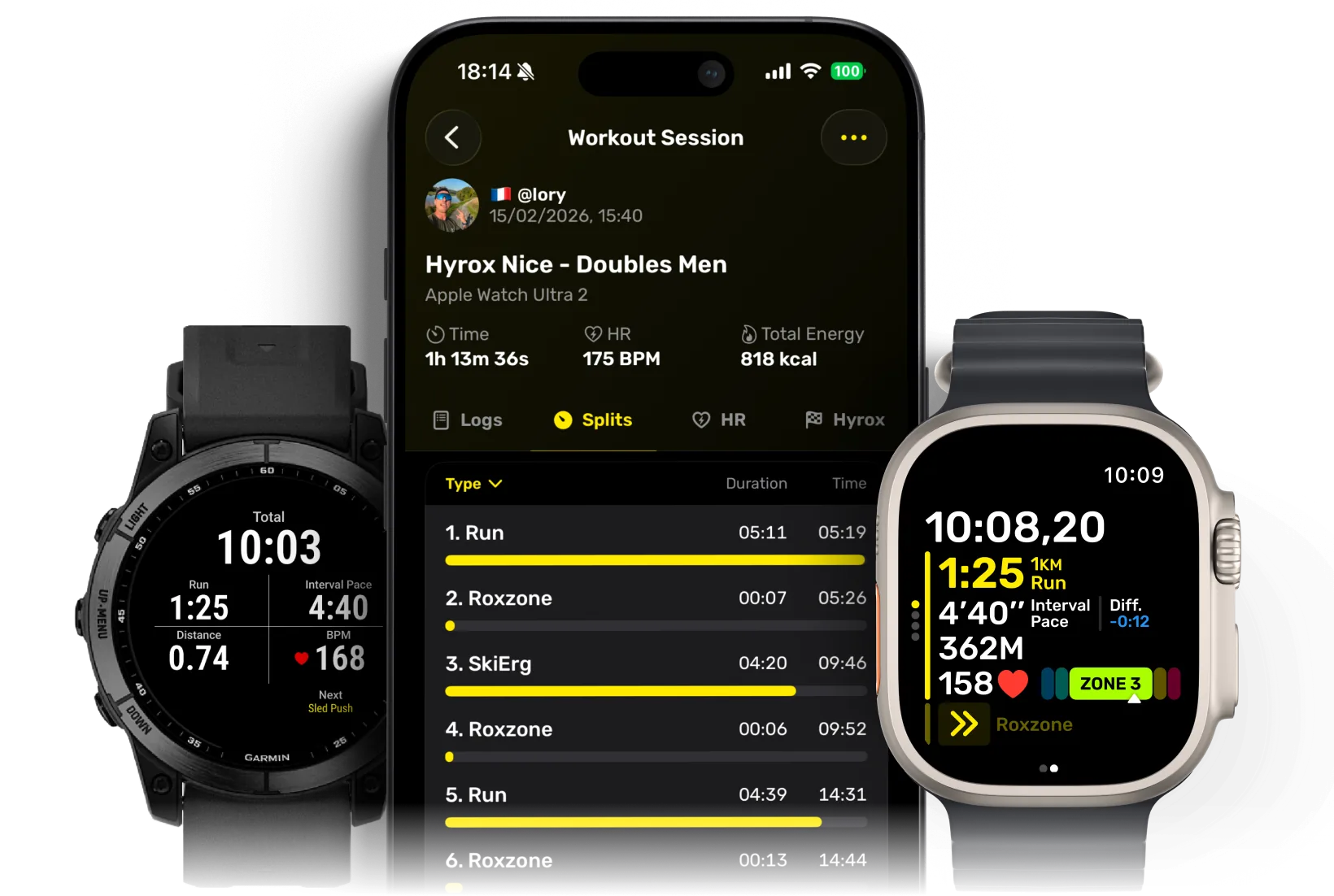
Hyro workout tracking shown on an iPhone, Garmin watch, and Apple Watch
4.8 avg from 740+ App Store ratings

Today, tracking HYROX from a watch is messy.

Cross-training hides the race. Running mode pollutes your pace during stations. Hyro fills the gap with a hybrid race mode that tracks every split and shows the right metrics at the right time.

Review what matters.

See the race behind the workout: which runs faded, which stations cost time, and where the Roxzone quietly added seconds.

Your Strava should say more than “Morning Workout.”

Hyro exports your session structure to Strava, so every run, station, split, and WOD block shows up with the context it deserves.

Build the workout. Follow it on your watch.

Create structured sessions for CrossFit-style WODs, gym conditioning, intervals, strength circuits, and HYROX prep, then run them from your wrist.

Questions & Answers

If you have any other questions, please get in touch.

Yes, almost all of Hyro is free, including HYROX tracking and Open Training, where you can log any session and add runs or exercises as you go. Hyro PRO is an optional subscription for the extras: scanning a WOD with AI, building your own custom workouts, and long-term stats. It costs about $9 a month in most countries, with a yearly option.

Not yet. An Android version will depend on the app's growth and demand. Share Hyro with your training partners and friends to help build that demand.

On Garmin watches through Garmin Connect and Apple Watches. We are planning to implement Suunto next.

Your HYROX workout template is loaded onto your watch before you start. When you finish a split, mark it directly from your watch. Press LAP on Garmin, or use a double-tap or the Action button on Apple Watch. The workout then advances to the next split.

Yes. The app works with any sport, including HYROX. Use Open Training for less structured or freestyle sessions, or create a Custom Workout when you want to plan your session in advance. You can track strength training, interval runs, CrossFit-style workouts, and more.

Yes. Hyro uploads your workout as a FIT activity and writes the Strava description for you. It includes the full training structure, such as blocks, rounds, sets, exercises, reps, distances, weights, split times, and pace when available. Hyro also sends exercise and set data for Strava's latest strength features, including workout logs and muscle maps.

Yes. On iPhone and Apple Watch, Hyro uses Apple Health to save workout and health data, subject to the permissions you choose. With Garmin Connect, Hyro can send workouts to your Garmin watch and import completed activities back into Hyro.

Roxzone time is the time spent moving between the run course and workout stations. Hyro lets you choose whether to track it. With Roxzone tracking off, your workout has fewer steps. Turn it on and Hyro adds the transitions into and out of each station, recording them separately so you can see exactly how much time you spent in the Roxzone.

Hyro saves the full workout, not just your finish time. You can review every block, set, exercise, run, station, and Roxzone transition in order, along with duration, calories, distance, pace, split times, and average heart rate when available. The heart-rate view shows your full HR graph, average and maximum heart rate, time and percentage in each zone, heart-rate distribution by exercise, and average heart rate for every split. You can also see how your total time was divided between running, exercises, and Roxzone, plus how much of the workout each exercise took.
Try now
Track HYROX without the setup headache.

Skip the setup tutorials. Open Hyro, choose your division, and start the workout. Your watch is ready without templates or extra setup.