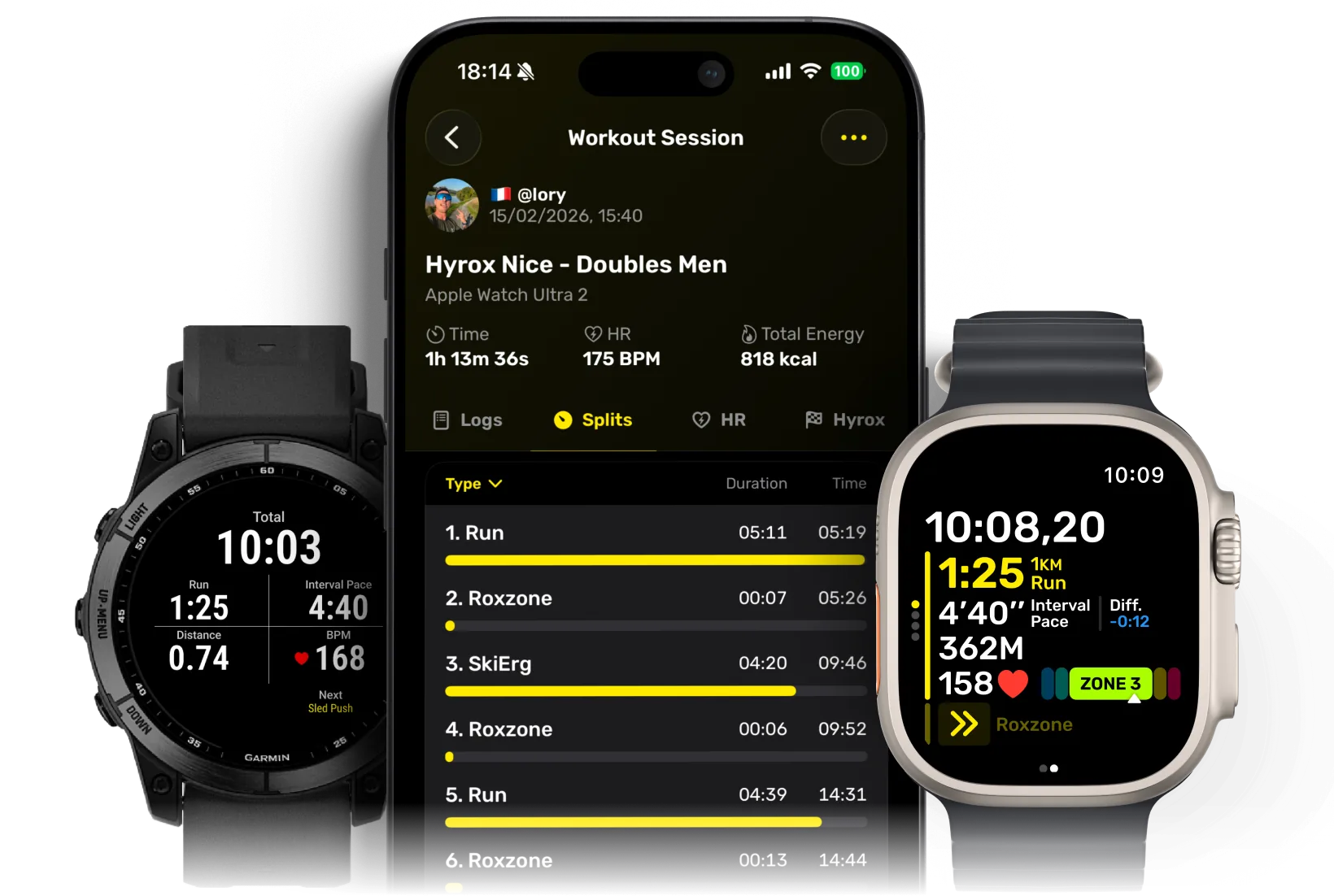
HYROX splits guide
HYROX splits explained
A HYROX race combines 8 x 1 km runs, 8 workout stations and the transition time between them, known as the Roxzone. Split the race into those parts and you can see where your pace held, where a station cost time and how much the Roxzone added.
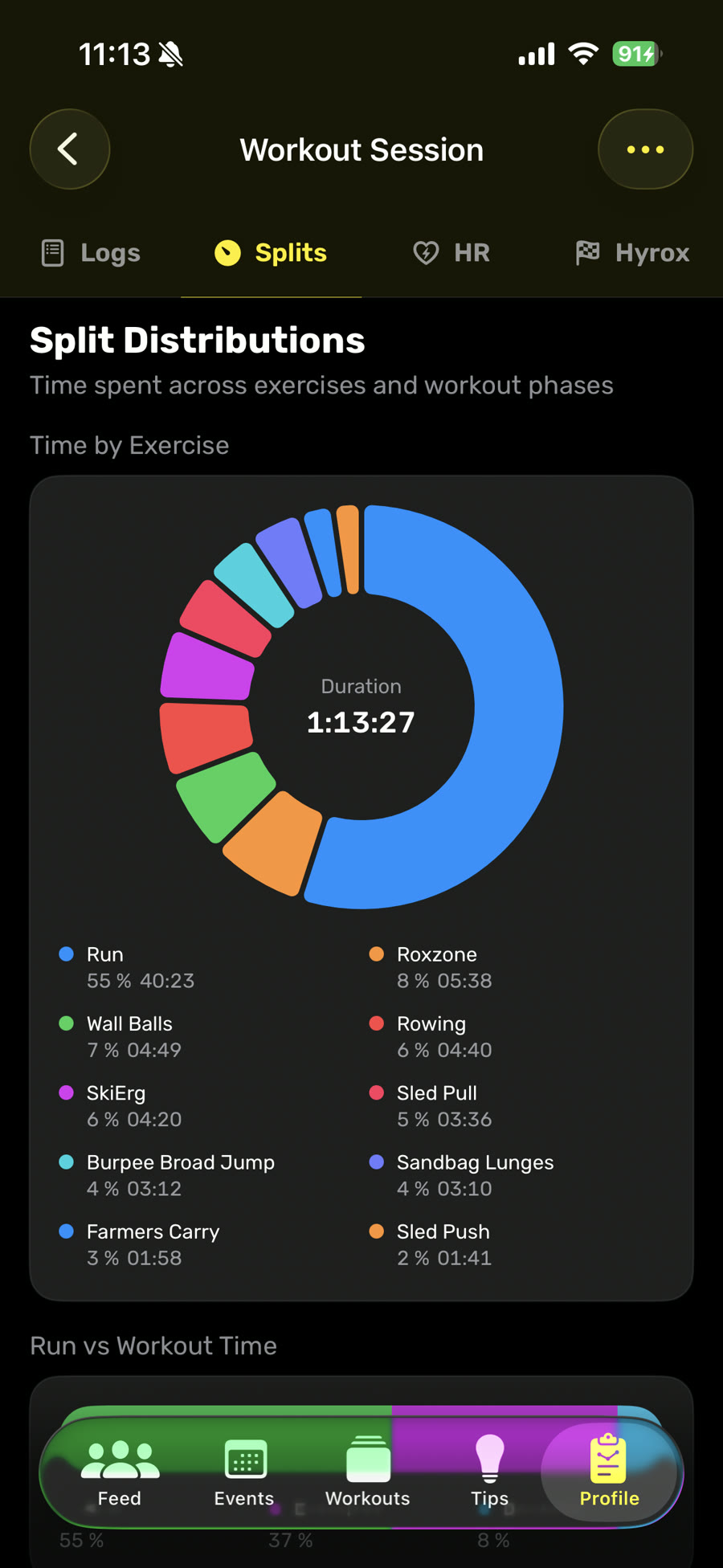
See where the race time went
Hyro groups the full session into runs, workout stations and Roxzone time.
What are HYROX splits?
A split is the recorded time for one part of the race. That can be a run, a workout station or a Roxzone transition. The exact breakdown depends on the timing view: some keep Roxzone separate, while others fold that transition into a nearby segment.
The race order stays the same. You run 1 km, complete one station, then repeat that pattern eight times. Loads change by division, but the sequence and work distances below do not.
Format
Division
Category
Open weights for the individual race.
| Pair / run | Station | Work / weight |
|---|---|---|
| 011 km | SkiErg | 1,000 m |
| 021 km | Sled Push | 50 m152 kg incl. sled |
| 031 km | Sled Pull | 50 m103 kg incl. sled |
| 041 km | Burpee Broad Jumps | 80 m |
| 051 km | Row | 1,000 m |
| 061 km | Farmers Carry | 200 m2 × 24 kg |
| 071 km | Sandbag Lunges | 100 m20 kg |
| 081 km | Wall Balls | 100 reps6 kg |
See every split in the Hyro app
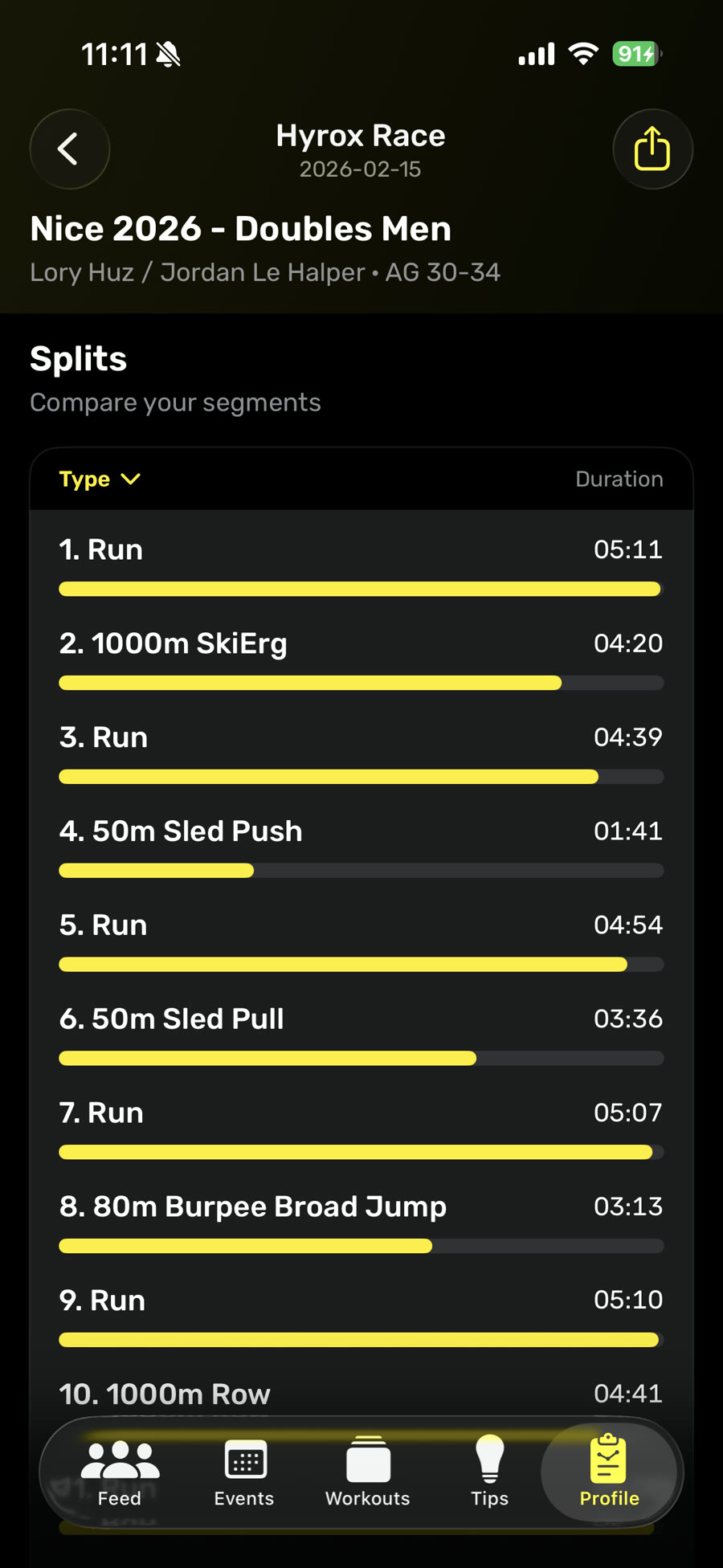
Split list
Every run and workout stays in race order, with its own duration.
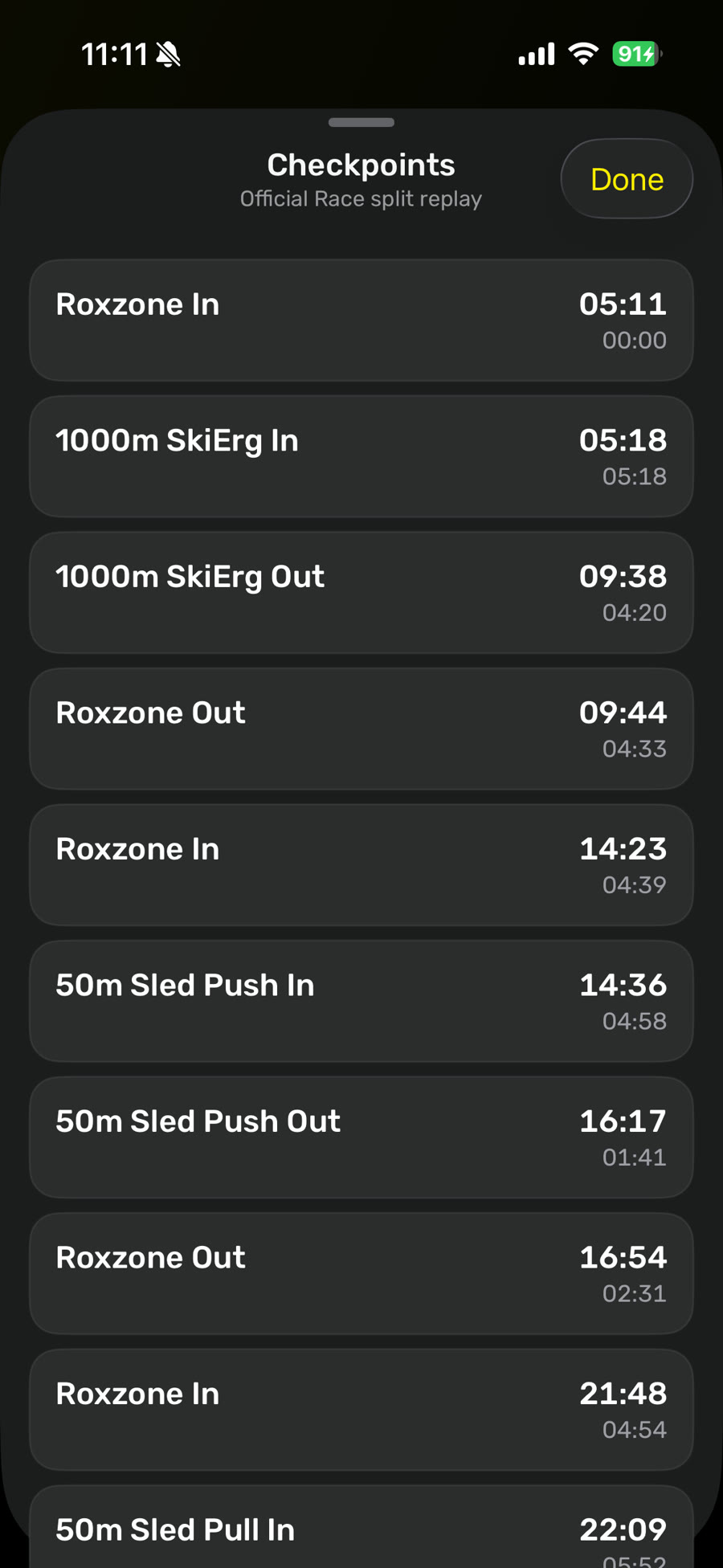
Checkpoint replay
Replay the official checkpoints and separate cumulative race time from each interval.
What does Roxzone time mean?
The Roxzone is the transition area between the running course and the workout stations. No single exercise happens there, but the clock keeps moving. Walking to a station, finding the right lane and getting back onto the run course all add time.
In Hyro, Save Roxzone controls how detailed your workout structure is. Leave it off for fewer NEXT or LAP taps and a simple run-station sequence. Turn it on to add separate Roxzone segments before and after each station. You get a clearer transition breakdown, but you also have more taps to make during the race.
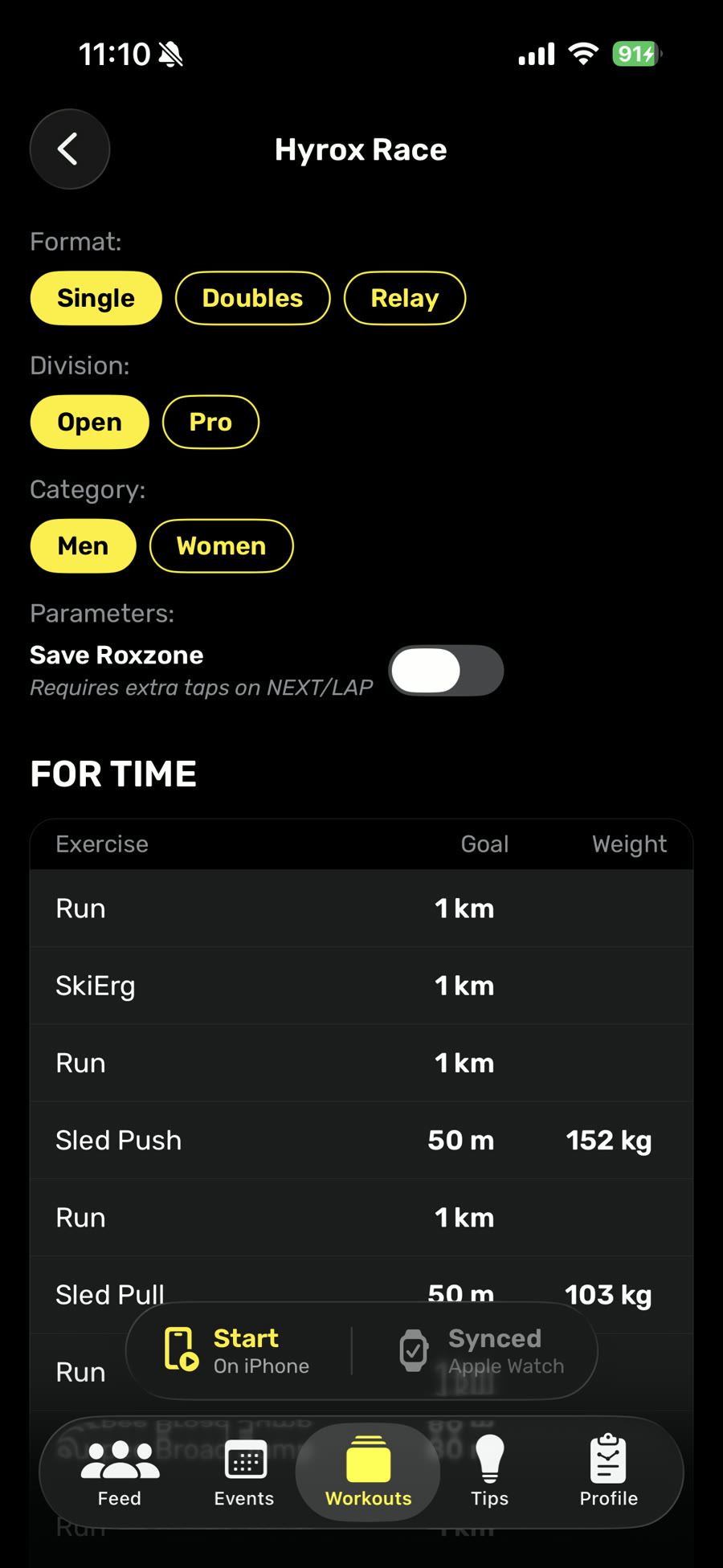
Roxzone off
A simpler run-station sequence with fewer interactions.
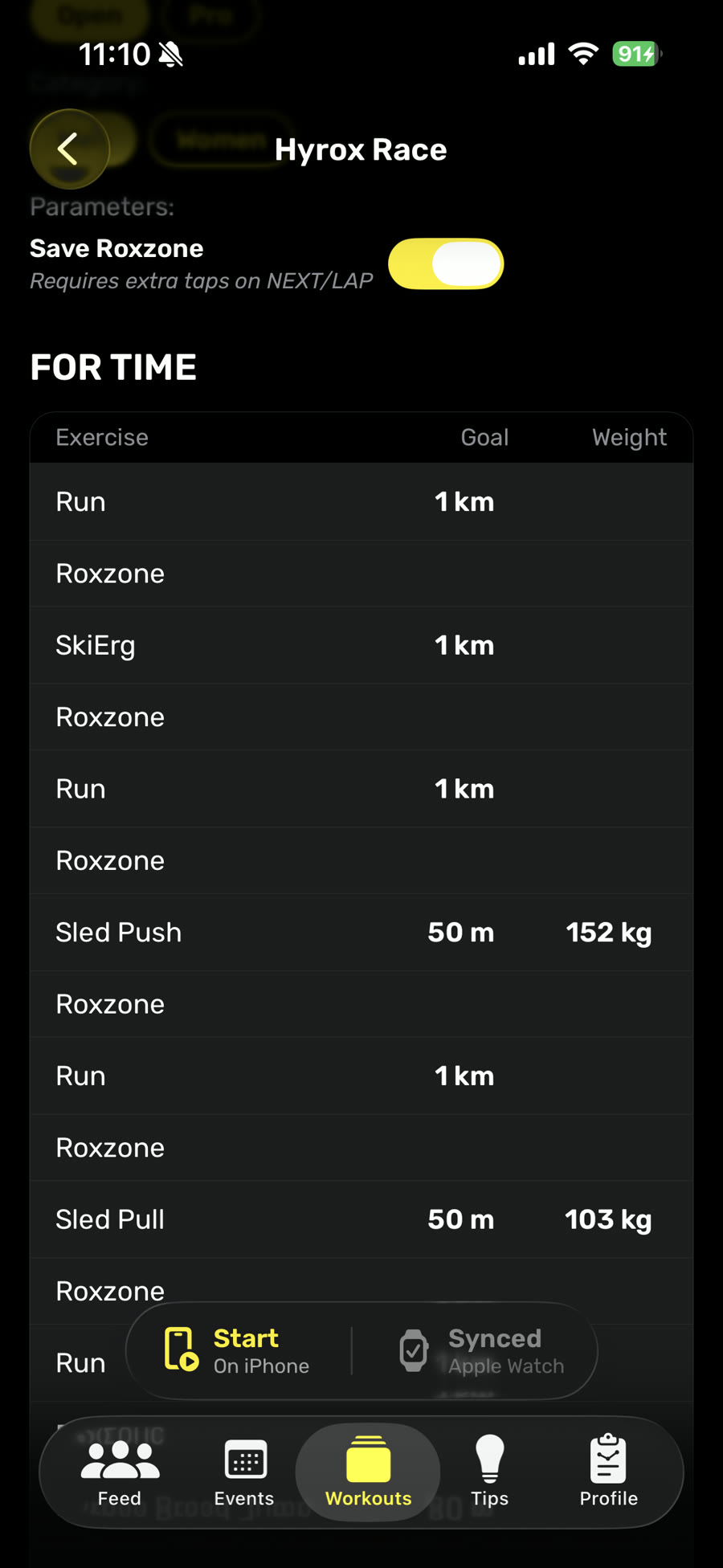
Roxzone on
Separate transition segments before and after each station.
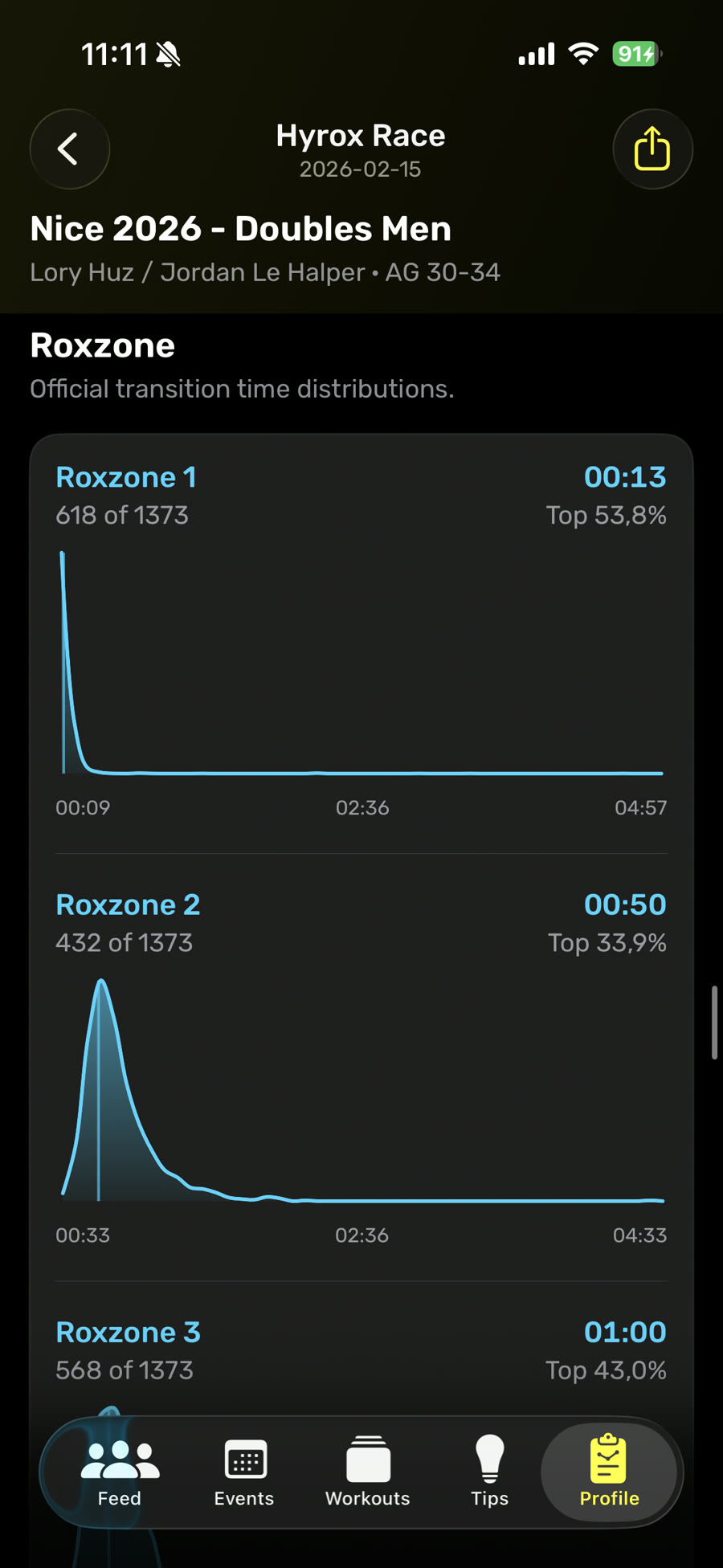
Roxzone comparison
When transition data is available, review each Roxzone split in context.
How should you read your HYROX split times?
Start with the pattern, not the largest number. A slow station may be a weak movement, but it may also be the cost of starting too hard or arriving there already cooked. Read the related splits together.
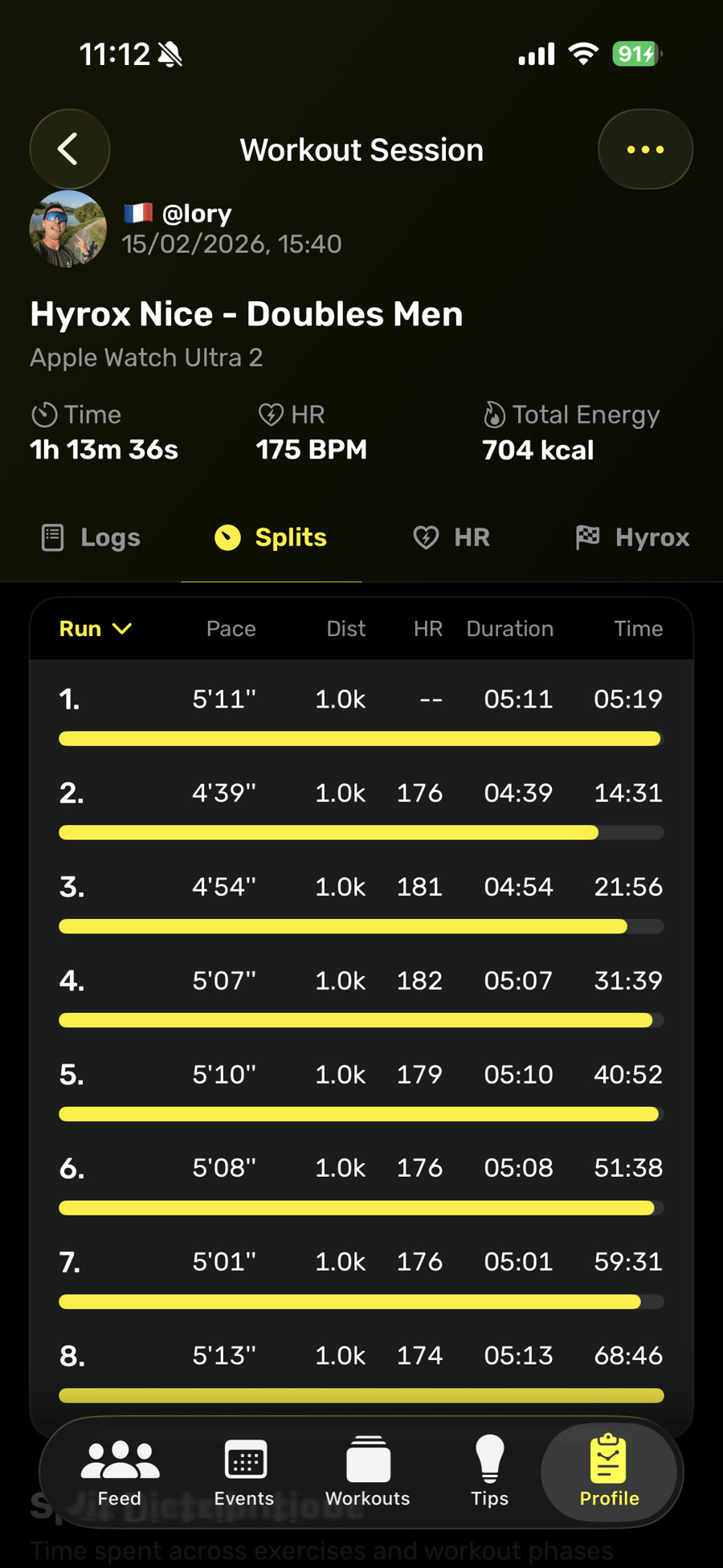
Check run consistency
Compare all eight runs. Look for where pace drops after a station and whether it recovers. Hyro keeps pace, distance, duration and heart rate on the same row.
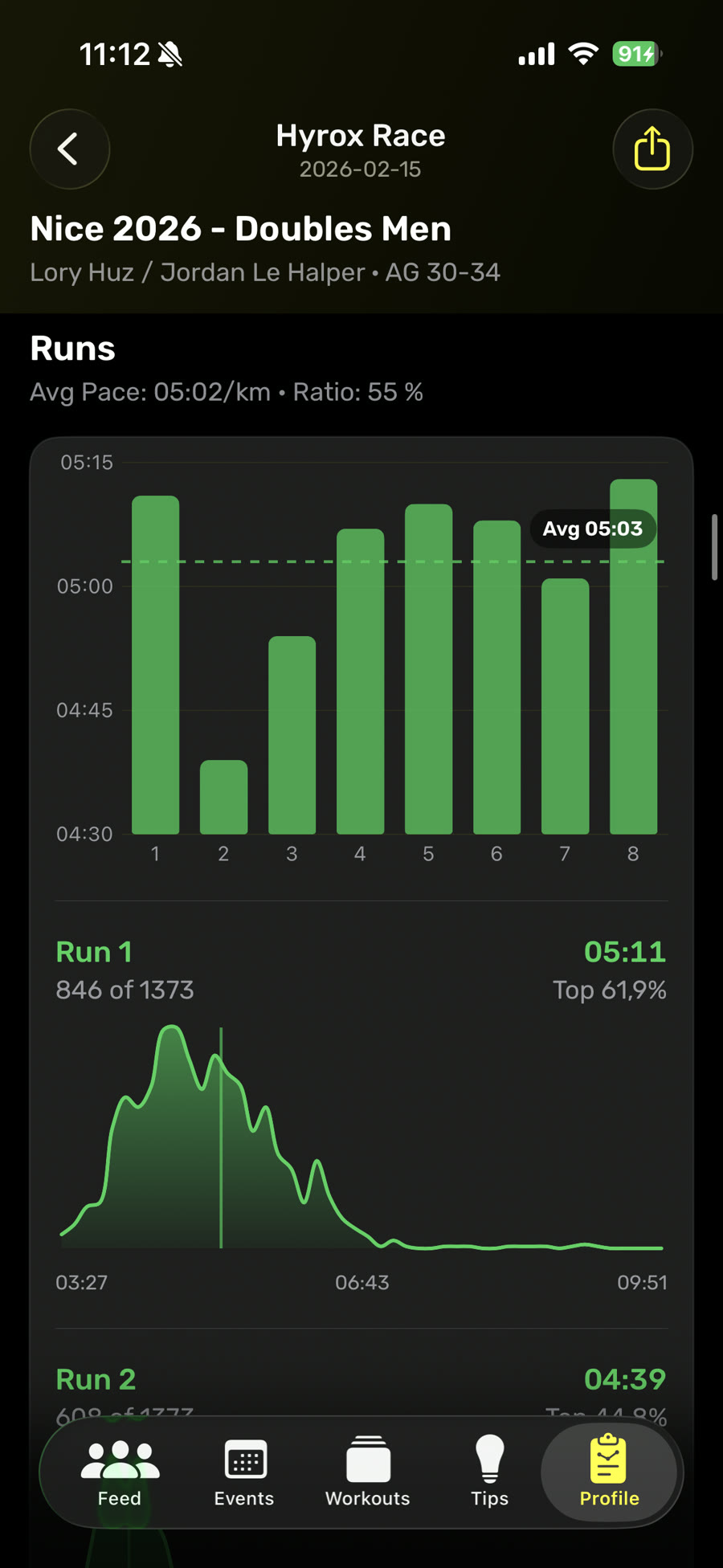
Compare the eight runs
Your average is useful, but the shape matters more. The race view puts every run side by side and shows each split against the relevant result distribution.
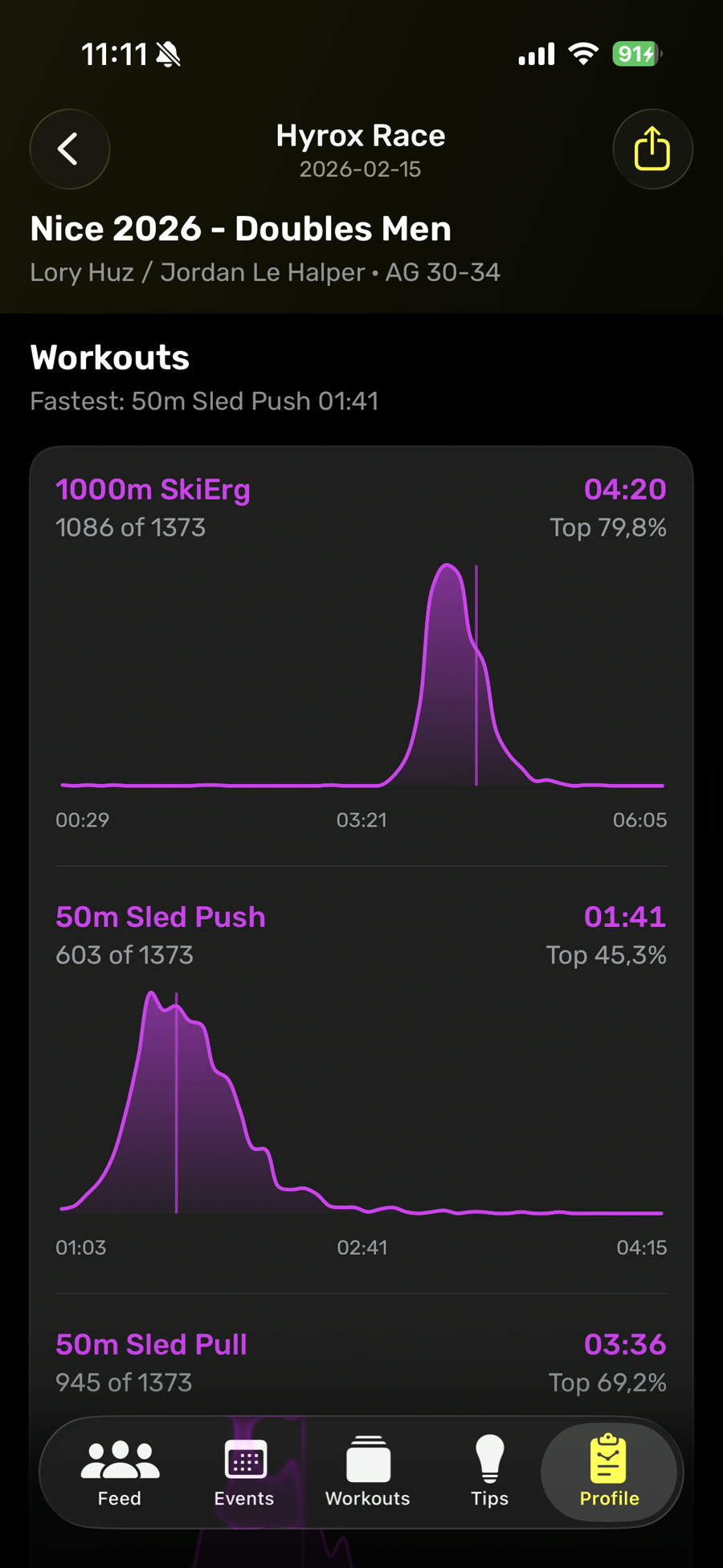
Review stations one by one
Hyro compares each station split with other athletes' results, so you can see how your performance stacks up and where you sit in the field.
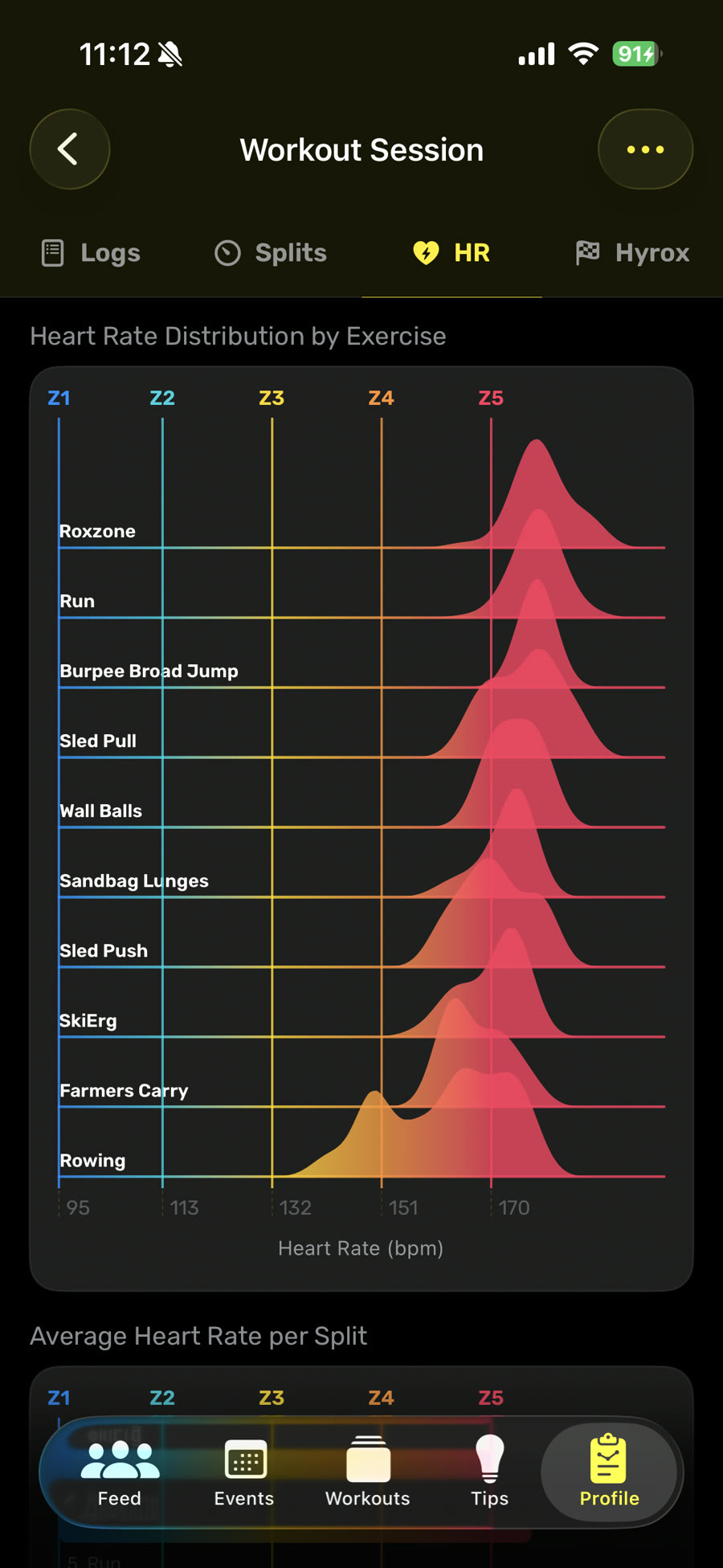
Add heart rate context
See which runs, stations or Roxzone transitions pushed you into Z4 or the red zone in Z5, then compare that effort from split to split.
Track your own HYROX splits with Hyro
Hyro includes race templates for Singles, Doubles and Relay. Choose the format, division and category, decide whether you want separate Roxzone splits, and follow each step from your wrist. After the session, every segment stays in race order.
Choose the right template
Match your race format, division and category so the sequence, distances and loads are correct.
Choose your level of detail
Keep Save Roxzone off for fewer NEXT or LAP taps. Turn it on when separate transition times are worth the extra interaction.
Review the whole pattern
Compare run pace, station times, Roxzone share and heart rate. Look for a repeatable weakness instead of blaming whichever split felt worst.
Track the race in its real order, then review every run, station and transition in one place.